Moving off Adobe Portfolio to Astro + Cloudflare Pages
Anastasiia's design portfolio, rebuilt as a static Astro site. Same pages and the same look, up to 91% less to download and a Lighthouse score of 100.
Anastasiia’s portfolio ran on Adobe Portfolio. It is a paid product, and not a cheap one, while Astro and Cloudflare Pages are completely free. The goal was to move it to her own hosting without visitors noticing anything - same pages, same layout, old links still working - and to make it faster on the way.
The new version is a static Astro site on Cloudflare Pages, and it is now live on her domain. All the numbers below compare the original with the new site measured on the same day.
What was moved
- 34 pages: the work grid, personal projects, about, 29 projects and a 404.
- 200 images (170 MB of originals), resized at build time into about 1,300 AVIF and WebP files.
- 17 videos (103 MB), now hosted on the site itself.
- 24 page themes from Adobe. Several were identical copies, so they became 19.
Nothing loads from Adobe or uses its paid fonts or assets.
Does it look the same

I captured every page on both sites at 1440 px and 390 px wide, 68 pairs of full-page screenshots, and compared each pair pixel by pixel. The median page differs by 2.4% of pixels, and 63 of 68 pairs are within 10 px of the original’s height. The three pages that are much shorter only lose the empty space the original leaves below its footer.
Almost all of the remaining difference is the font. Adobe’s Acumin Pro can only be used on Adobe’s own sites, so the new site uses Archivo. It is a close match, but it is wider, and the comparison found where that matters.
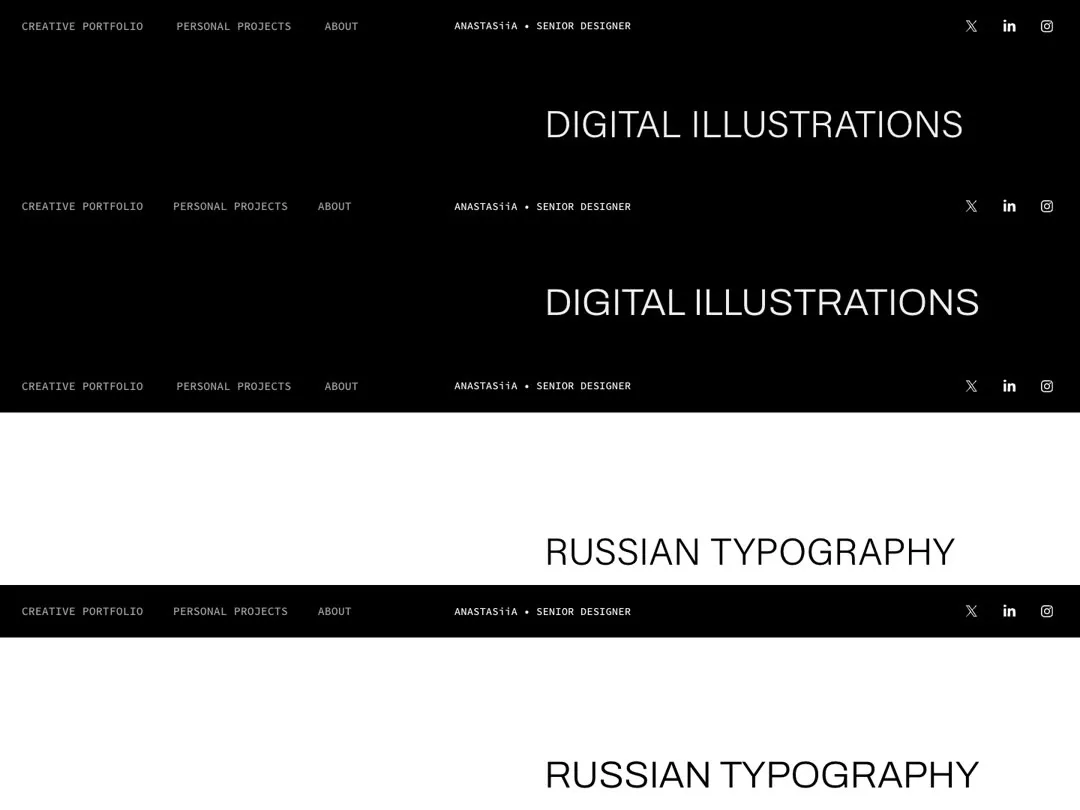
The same comparison caught one video on a phone-width page that had lost 22 px of spacing in the import. After the fix, that page is 2,720 px tall against the original’s 2,721 px.
A few differences are deliberate. Videos use the browser’s own player instead of Adobe’s round play button. Page fades take 83 ms instead of 250 ms, so clicks feel quicker.
How fast it is
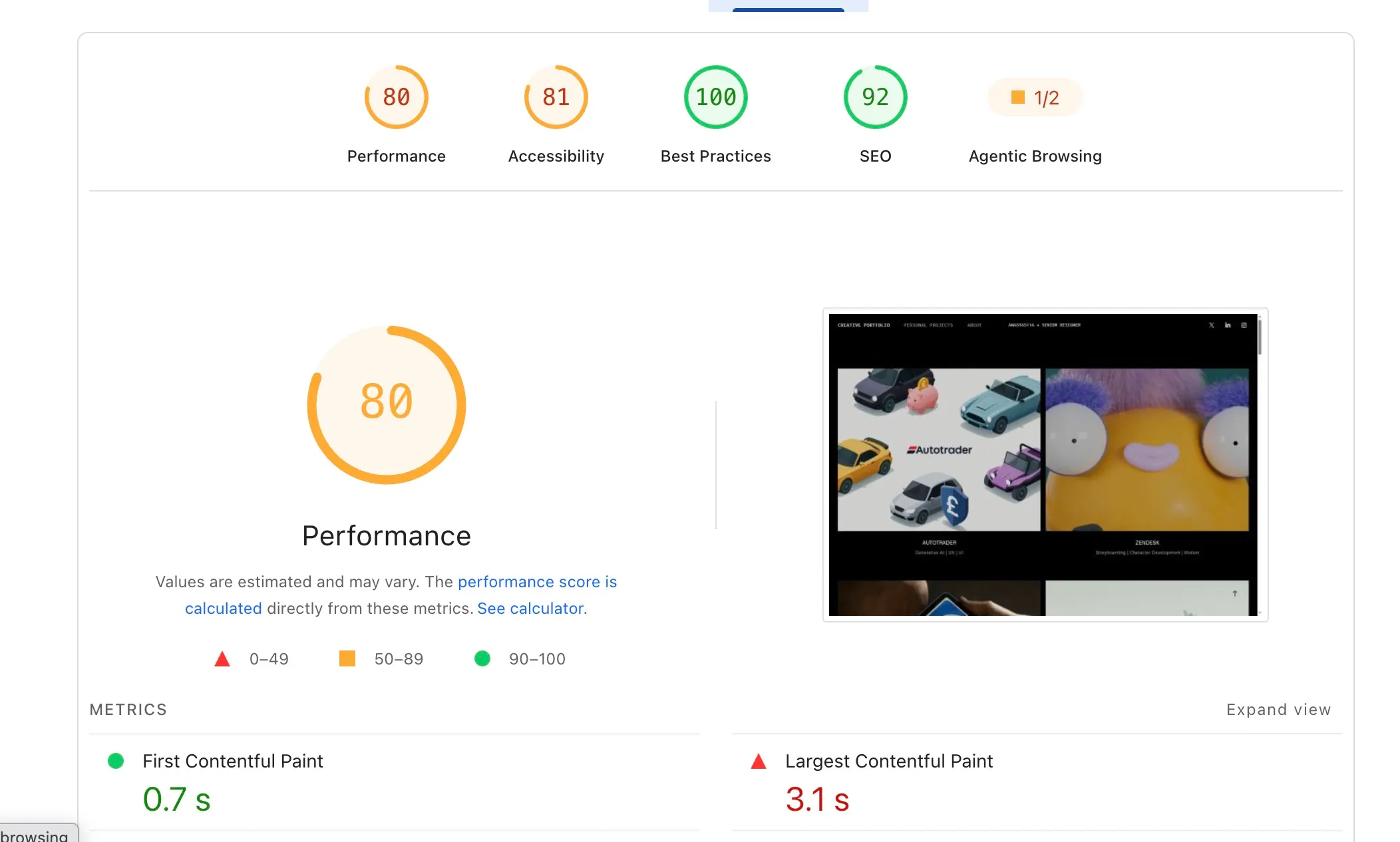
PageSpeed Insights on the work grid, desktop. Adobe first:
The new site:
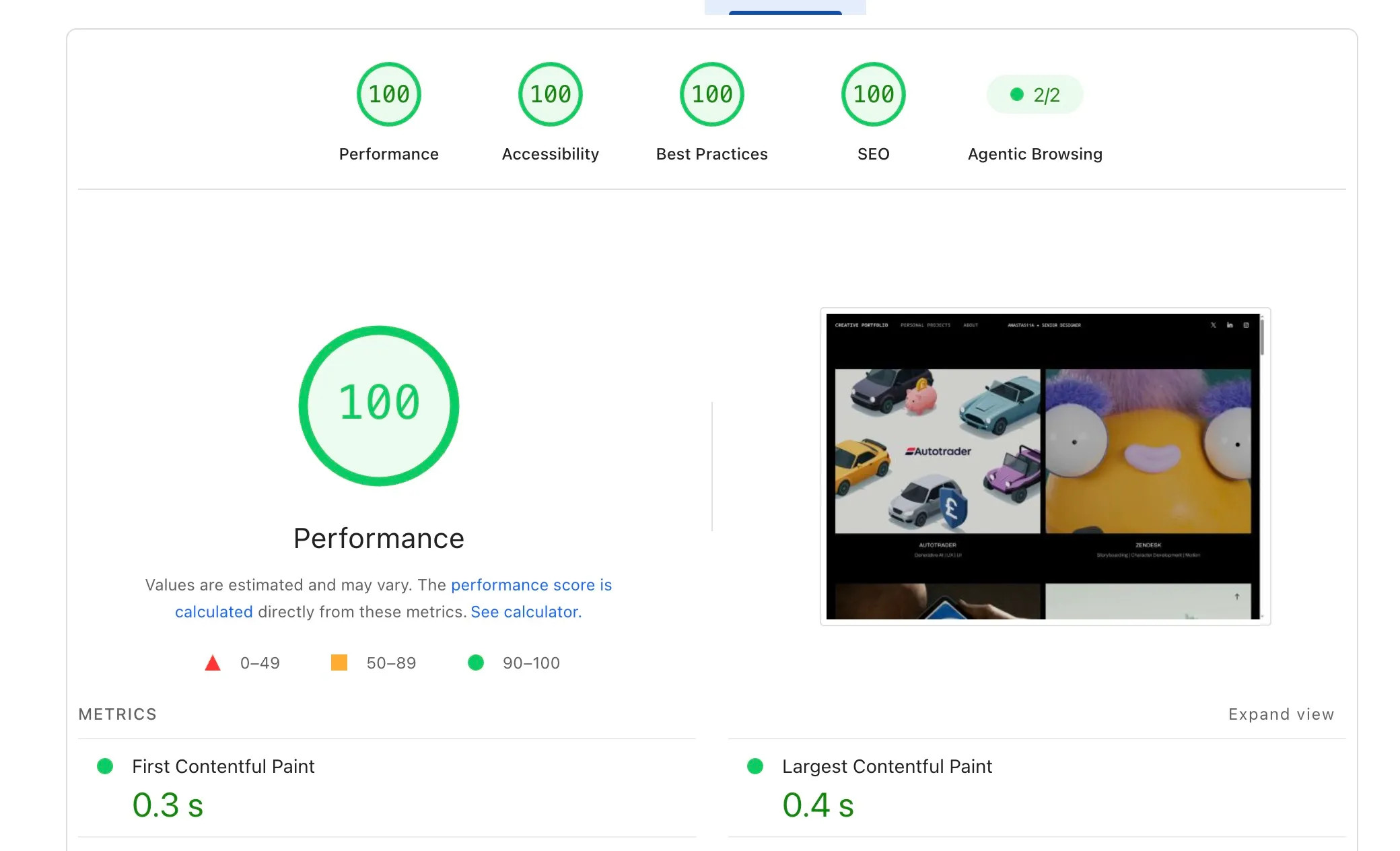
For the full picture I ran Lighthouse 13.5 on three pages with the mobile preset (slow 4G and a 4× slower CPU), three runs per page, both sites back to back. The numbers are the middle run. Mobile scores went from 74-88 to 100 on all three.
Table
| /work, Adobe | 9.2 s | score 74 |
|---|---|---|
| /work, new | 1.7 s | score 100 |
| /volvic, Adobe | 3.5 s | score 88 |
| /volvic, new | 1.6 s | score 100 |
| /about, Adobe | 4.1 s | score 83 |
| /about, new | 1.5 s | score 100 |
Table
| /work, Adobe | 4.5 MB |
|---|---|
| /work, new | 411 KB |
| /volvic, Adobe | 2.2 MB |
| /volvic, new | 305 KB |
| /about, Adobe | 479 KB |
| /about, new | 86 KB |
Why the original is slow
Images are 4.0 of the 4.5 MB on the work grid. Adobe serves the uploaded PNG covers, 1-1.5 MB each, at 1280 px wide for a slot that is 725 px wide. On top of that come 15 font files from Adobe Fonts behind a stylesheet that blocks the first paint, and none of it is cached.
What the new site does instead
- Every image is resized to the size it is shown at, in AVIF with a WebP fallback. On the work grid AVIF is 43% smaller than WebP.
- The first two covers load first at high priority. The rest load as they scroll into view.
- Page CSS is inlined, so nothing blocks the first paint.
- Files with a content hash in their name are cached for a year.
- Hovering over or touching a link fetches the next page early.
- The fallback fonts are scaled to Archivo’s proportions, so text doesn’t move when the real font arrives.
None of this is special. Astro does most of it out of the box, and Cloudflare Pages hosts static sites for free.
Build time
Resizing 200 images into 1,300 variants is slow, mostly because AVIF encoding is slow. With Cloudflare’s build cache off, every deploy took about 10 minutes. With the cache on, it takes about 1 minute.